Supplier Page:
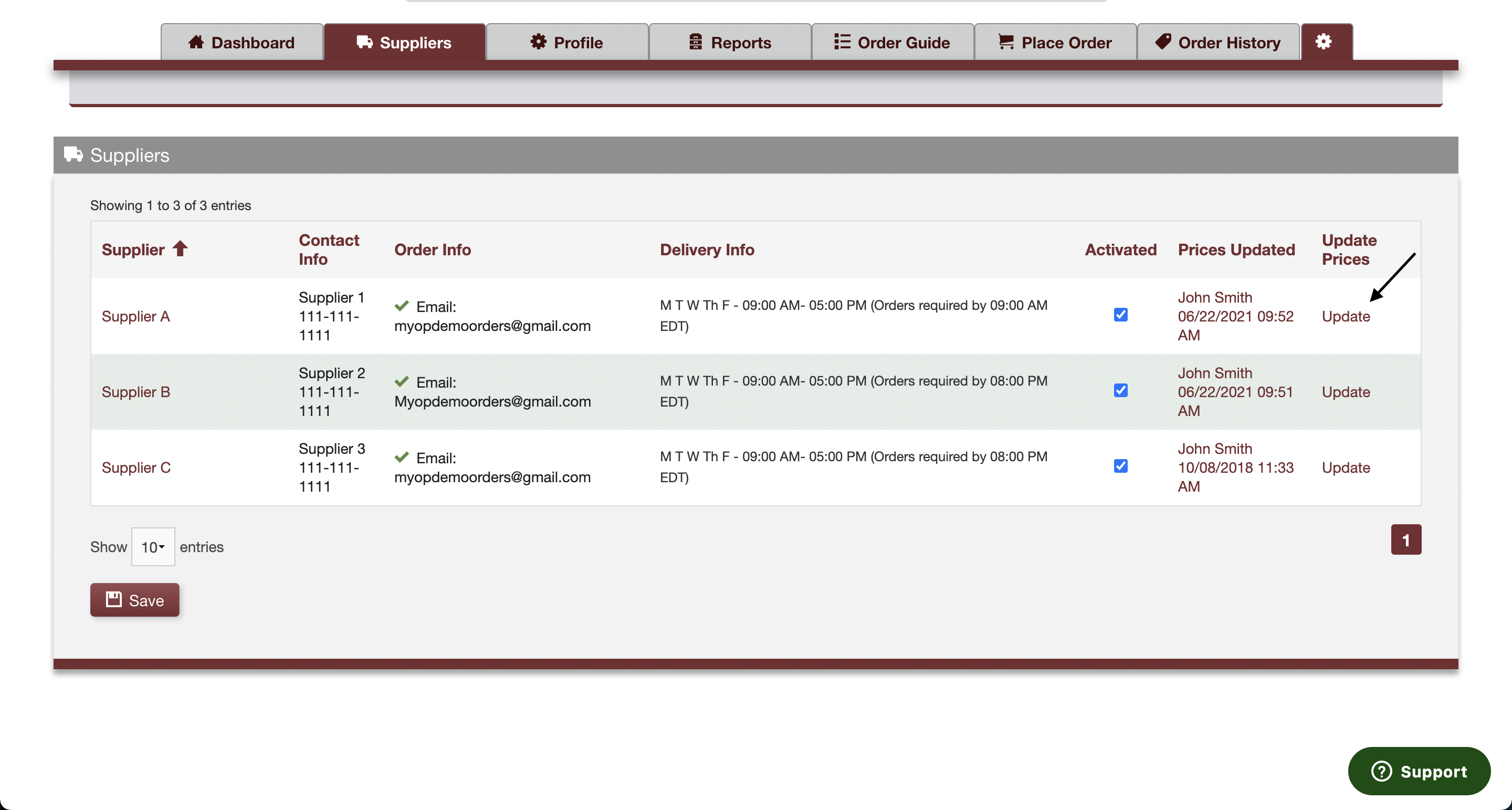
Your supplier page lists the information outlined below. This information is all managed by your supplier on their profile page.
- Supplier name.
- Supplier representative’s name.
- Supplier representative’s phone number.
- Order fulfillment information (Call, Email, or Fax).
- A green check mark to the left of the order fulfillment value indicates your supplier has confirmed this method. If your supplier has yet to confirm their order fulfillment method then a red "x" will be visible in place of the green checkmark.
- You can choose to confirm an order fulfillment method yourself on this page. However, your software will attempt to send orders to unconfirmed addresses when you click "finalize order" on your place order page.
- Supplier delivery days, delivery windows, and order cut off times.
- Supplier status: activated or deactivated. Deactivated suppliers will not be visible throughout the rest of your application, with the exception of historical reporting.
- Last day prices were updated, and who updated them.
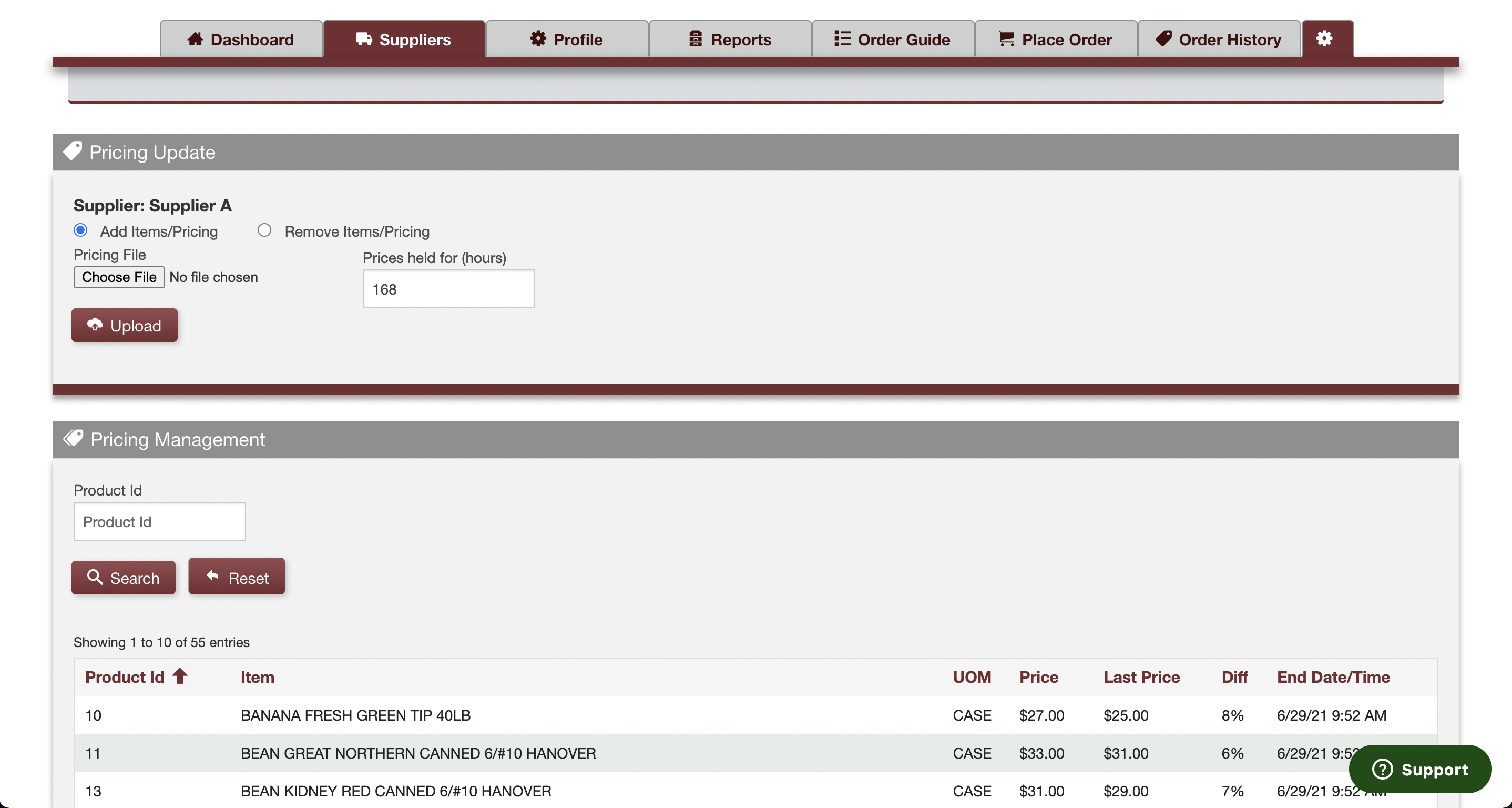
You have the ability to update supplier pricing yourself through a link on this page. Please refer to video above which outlines that process.
*Please note that an excel price file specific to your supplier is the only acceptable format to update their prices. This excel file was defined during the supplier's onboarding. If you would like to begin update pricing yourself you will need to do one of the following:
- Reach out to your supplier rep and get a copy of the file they used to set up their account.
- Reach out to the MyOrderPlacer support team through the support widget at the bottom right of your screen, and request assistance.
Comments
0 comments
Please sign in to leave a comment.