Profile Page:
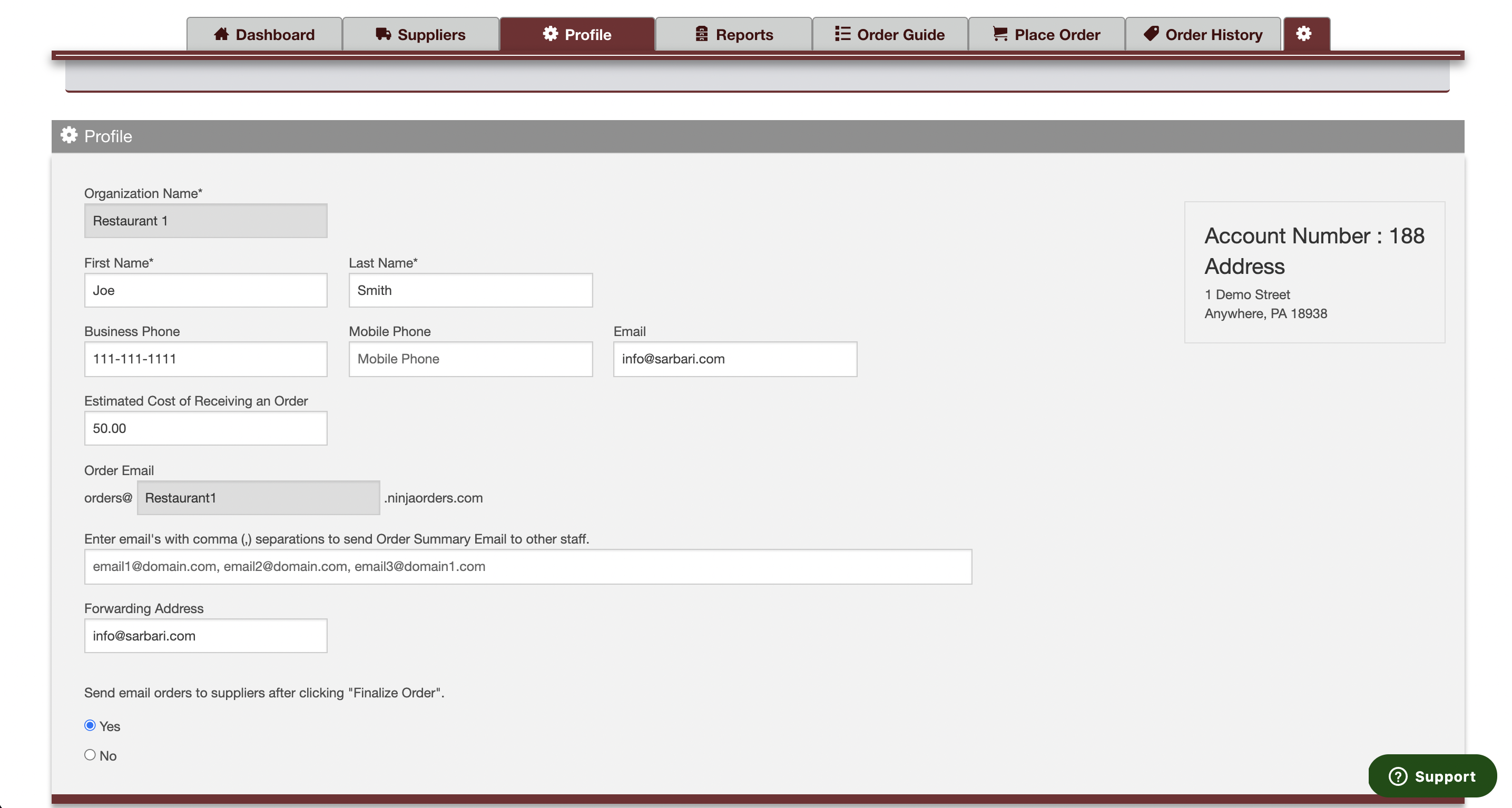
Your profile page displays the following information:
- Account Number: This is your MyOrderPlacer account number. If you reach out to the support team and they ask for your account number, you can find it here.
- Organization Name & Address: This information is not editable. If you ever wish to update this information please reach out to the MyOrderPlacer support team and they can assist you.
- Location Contact Information: Name, Email, Phone Number.
- Estimated Cost of Receiving an Order: You can input a dollar cost of receiving an order. Your software will use this information to determine if you will save at least that much when splitting your order between more than one supplier. If not, you will notified prior to finalizing order.
- Order Email: The email address your software uses to send your orders to your suppliers.
- Order Summary Email: When an order is placed an order summary is emailed to the order placer. This email is very useful for receiving purposes. If you'd like other users cc'd in these order summary emails, you can place their addresses here.
- Forwarding address: When someone replies to your order email they are sent to this address.
- Send Order Electronically: When you click "Finalize Order" your software will electronically send your order to the supplier email or fax number on file. If you wish to send orders manually simply toggle this feature to "no". Moving forward you will be prompted to send orders yourself after clicking "Finalize Order" on your place order page.
*Please note that the profile page is not viewable to users with a Corporate Chef or Order Placer role.
Comments
0 comments
Please sign in to leave a comment.