Profile Tab:
Customer Price Levels:
Your software runs on price levels. A price level can be specific to a certain customer, or a price level can be associated to more than one customer.
Price levels are created on your Profile Tab, assigned to customers on your Customer Tab, and price updates are sent to price levels on your Dashboard Tab.
Customer Specific Price Levels:
You can create a customer specific price level on your Profile Tab. I have outlined the process in the example below.
In this example I wish to make a specific price level for my customer Nick's Pizza. In order to do this I would:
- Navigate to my Profile Tab.
- Scroll down to the Customer/ Price Levels section.
- Add a new price level named Nick's Pizza.
- Click save a the bottom of the page.
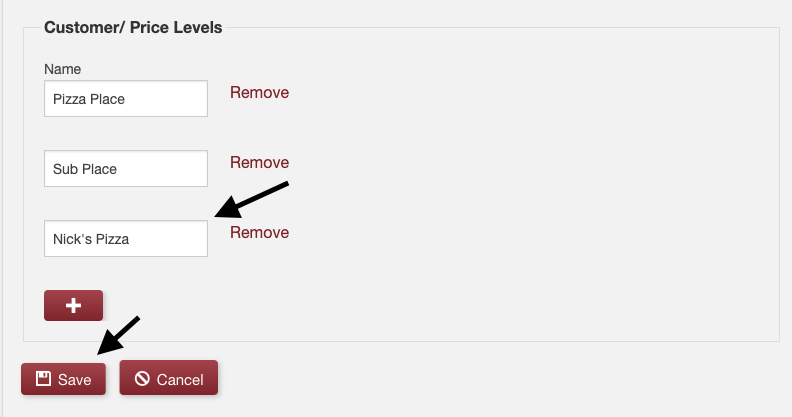
Now that my new price level is created I need to assign it to my customer Nick's Pizza. In order to do this I would:
- Navigate to my Customer Tab.
- Find Nick's Pizza in my customer list.
- Click edit to the far right of their name.
- Assign Nick's Pizza to the new price level I just created.
- Click save at the bottom of the page.
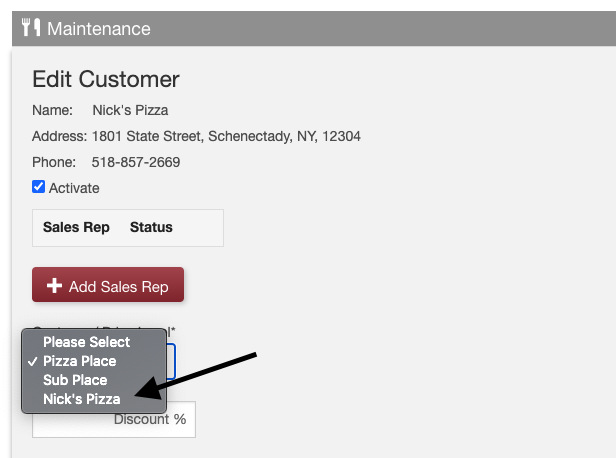
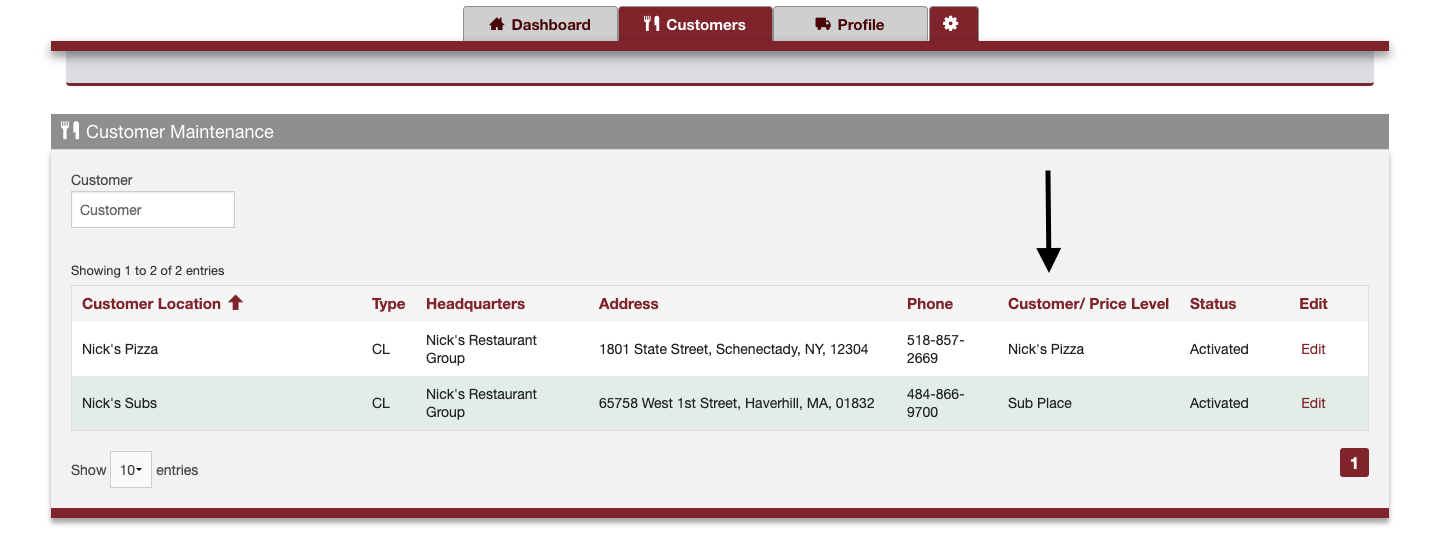
Nick's Pizza is now associated to a new specific price level called Nick's Pizza. Moving forward any price updates I send to the Nick's Pizza price level will only be seen by my customer Nick's Pizza.
You can see a snapshot of each of your customer's assigned price levels by navigating to your Customer Tab.
Multiple Customers Associated To One Price Level:
Let's use the same customer from our first scenario: Nick's Pizza. Nick has just opened a brand new location called Nick's Subs.
I am not looking to send a completely different list of items and prices to this new location. I want this new location to see exactly what I am sending Nick's Pizza, each week.
To do this I would simply:
- Navigate to my Customer Tab.
- Find Nick's Subs in my customer list.
- Click edit to the far right of their name.
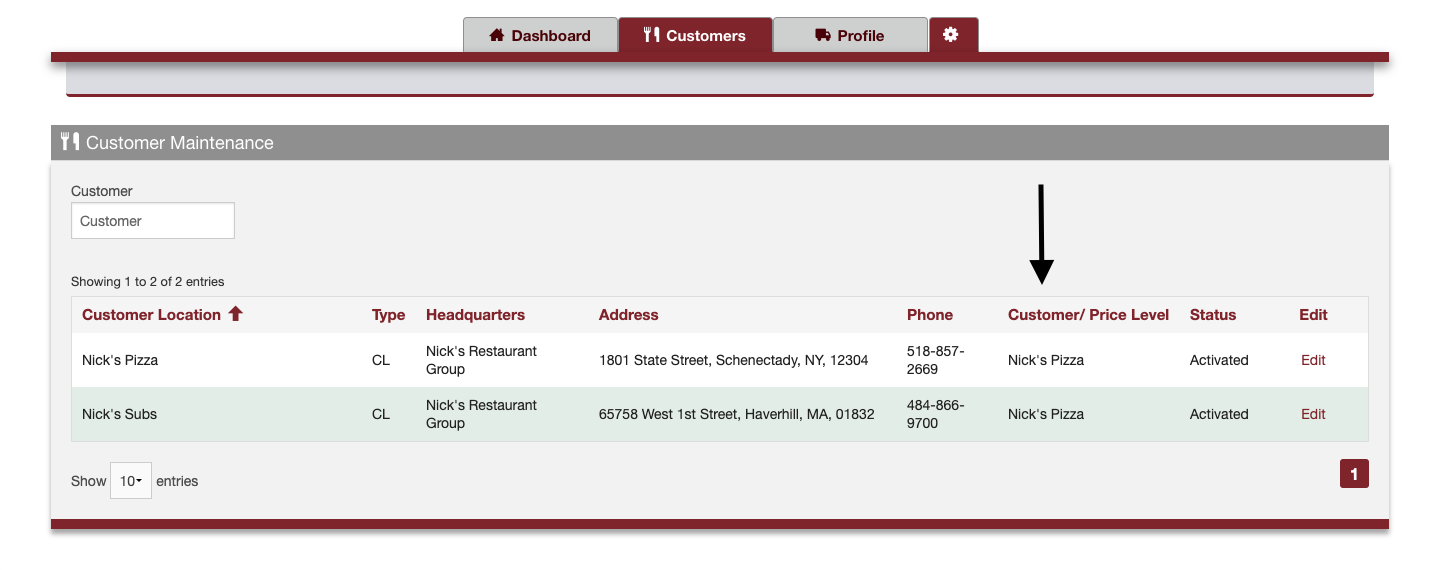
- Assign Nick's Subs to the existing Nick's Pizza price level.
- Click save at the bottom of the page.
Nick's Subs is now associated to the price level called Nick's Pizza. Moving forward any price updates I send to the Nick's Pizza price level will now be seen by both Nick's Pizza and Nick's Subs.
Comments
0 comments
Please sign in to leave a comment.