Profile Tab:
Prices Held For (hours):
When you send your customer a price update those prices will be held for the hours shown in the "Prices held for (hours)" field, on your Dashboard Page.
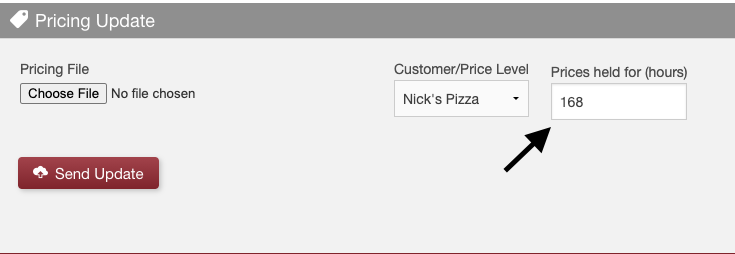
Things to note:
- This value can only be numerical and must be inputed in hours.
- If you wish to hold prices for 1 week at a time, then 7days x 24hrs = 168hrs.
- This value can be changed "on the fly".
- You can change the value per update. Default value can only be changed on your Profile Tab.
Active Prices:
Prices are considered "active" as long as their "expiration date/time" is in the future.
For Example:
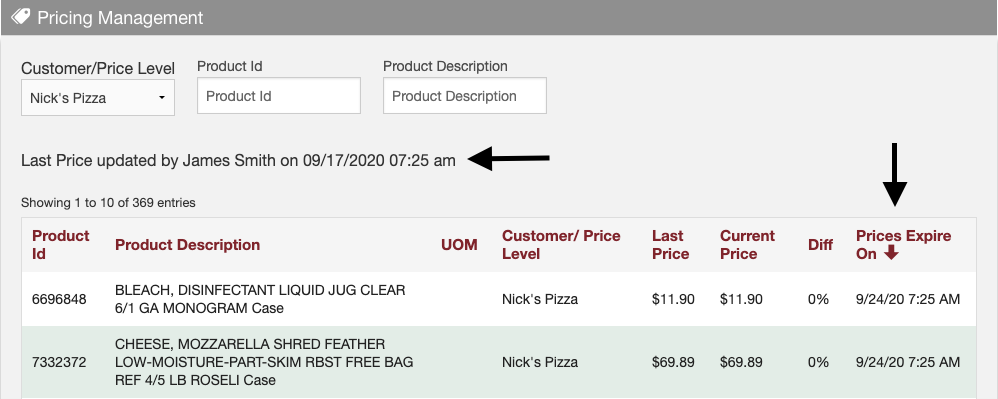
My "Prices held for (hours)" field is set to 168hrs. If I send my customer a price update today 9/17/20 at 7:25am then my prices will be "active" until 9/24/20 at 7:25am (168hrs or 7 days later).
My price "expiration date/time" is considered 9/24/20 at 7:25am.
Expired Prices:
Prices are considered "expired" if their "expiration date/time" is in the past. Prices become "expired" if a new price update has not been sent prior to the previous price update's "expiration date/time".
For Example:
Using the same example as above: If I do not send a new price update prior to 9/24/20 at 7:25am then my prices will show on my customer's end as "expired".
What does this me?
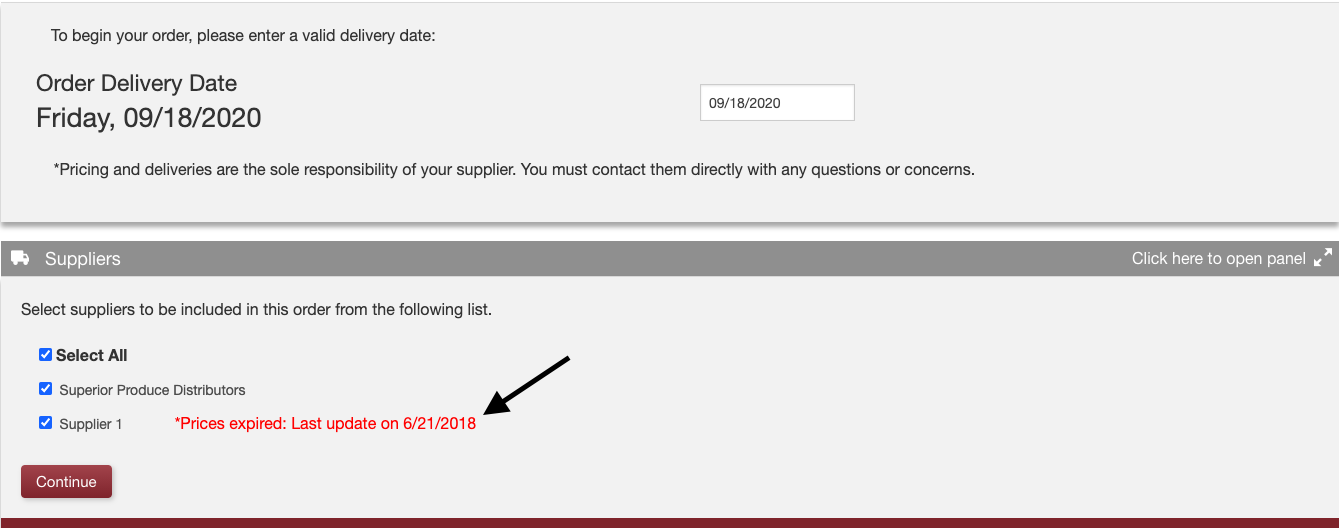
If my customer begins building an order they will see a warning of the date/time my prices became "expired".
- My customer can decide to proceed building my order with "expired" pricing or not.
- If my customer sends an order, my email will indicate the order was built using "expired" prices.
Intensionally Expired Prices:
There are scenarios where you may wish to remove item pricing from your customer's software.
To do this you would:
- Remove the item(s) in question, from your master excel price sheet.
- Send price update to customer, using your master excel price sheet.
Your software will see a price update, but notice some items that were in your previous update are not included in this one. They "fell off"...
The item(s) that "fell off" will be considered "intensionally expired" and not be visible to your customer at all.
Comments
0 comments
Please sign in to leave a comment.